Screen Help
A screen looks wrong? Find the picture that matches below. Then follow the steps in order.
Restart the computer. It fixes most problems. How to restart
What do you see?
Know your screens
Two kinds of power button. The computer has one. Every screen (TV) has its own too. They do different things. To restart the computer, use the Windows menu. Do not use the TV's power button.
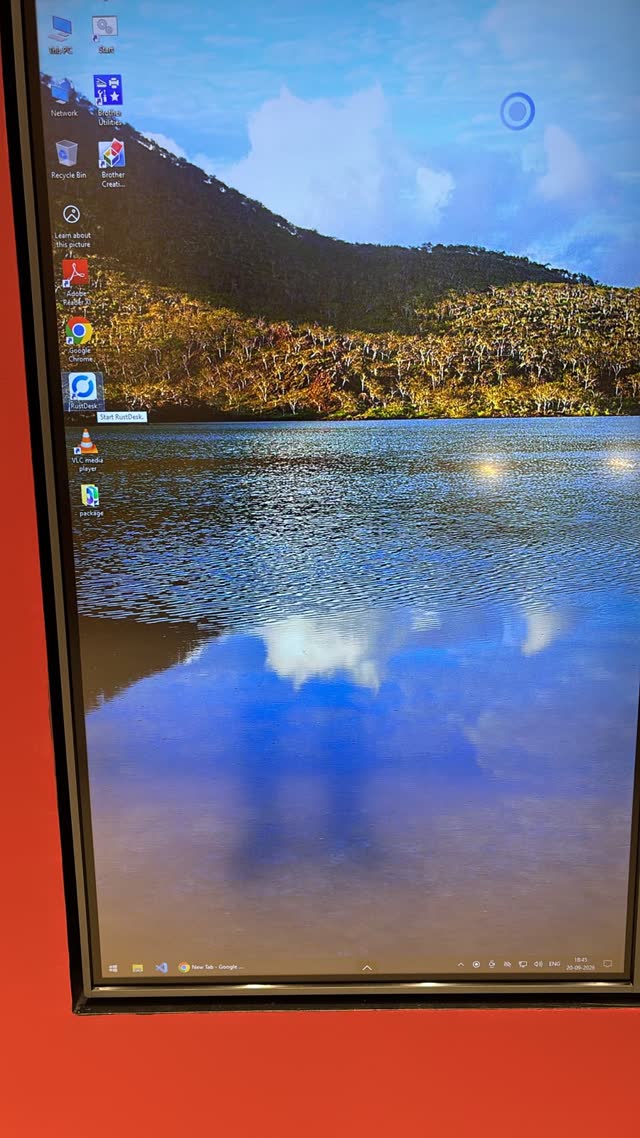
This is the computer (Windows). A bar at the bottom with the Windows logo on the left.
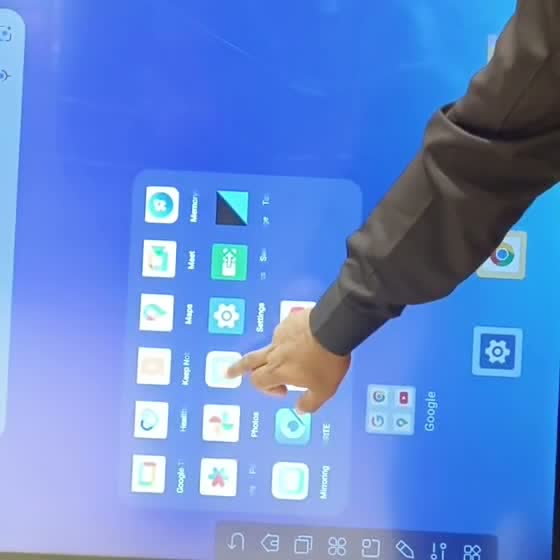
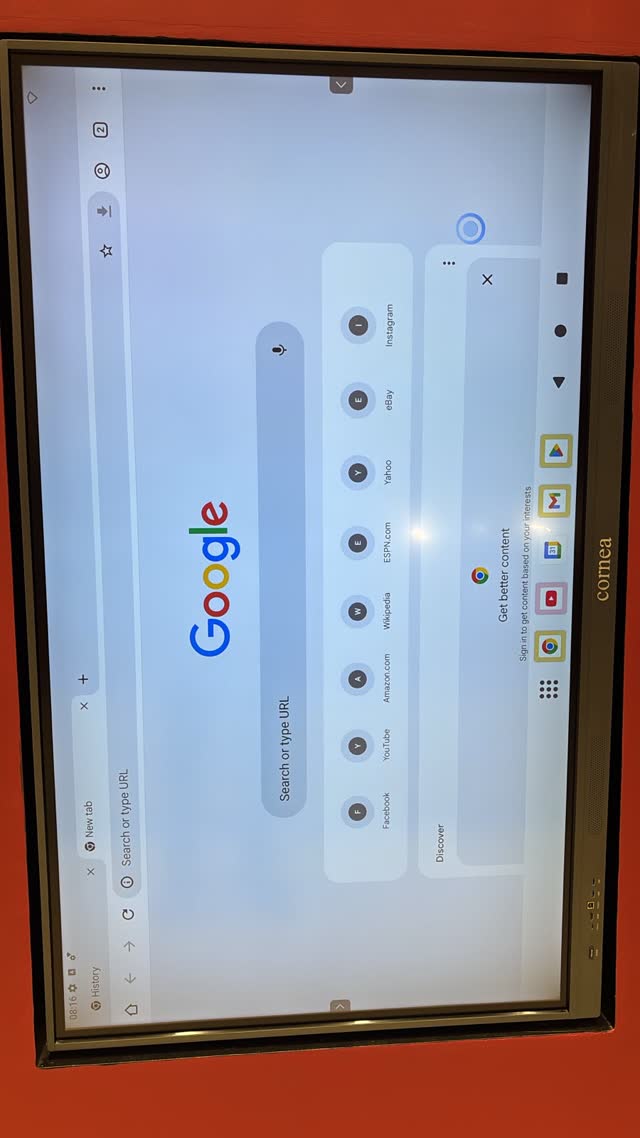
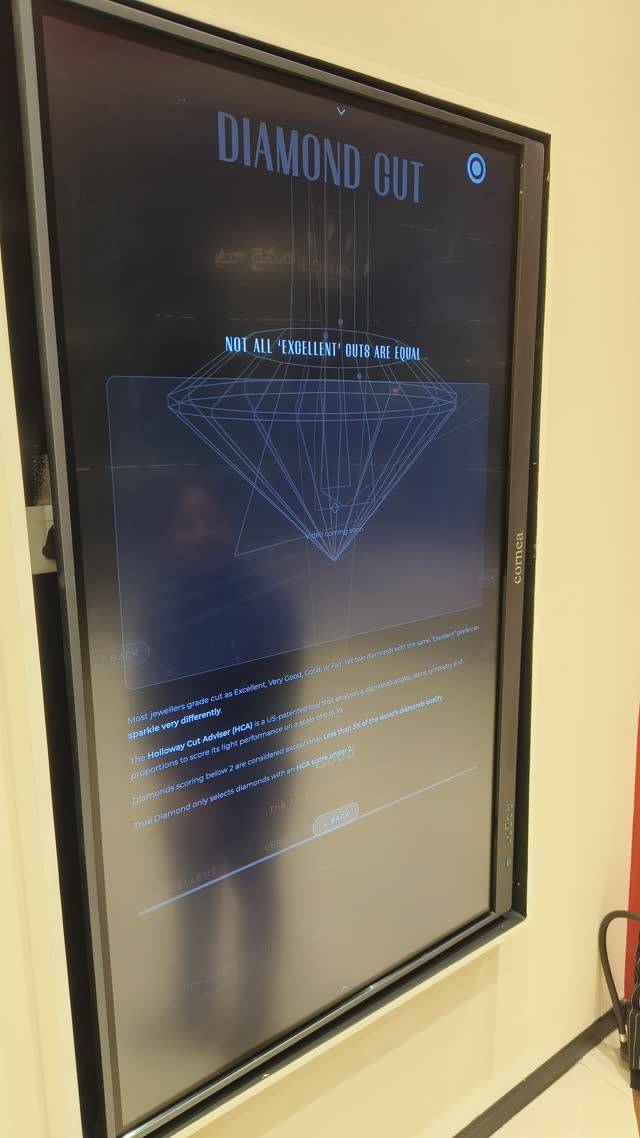
This is the TV (Android). Blue background, round app icons, Google pages. The restart button is not here.
Restart the computer
Do this on the Right / Scanner screen.
Is the kiosk page showing, but stuck? First open the secret menu to close it. Then you will see the Windows bar.
- Tap the Windows buttonBottom-left corner of the screen.
- Tap Power The round icon ⏻
- Tap RestartNot "Sleep". Not "Shut down".
- Wait 3 minutes. Do not touch anything.Black windows with text will open and close. This is normal.
- The kiosk page comes back by itself.
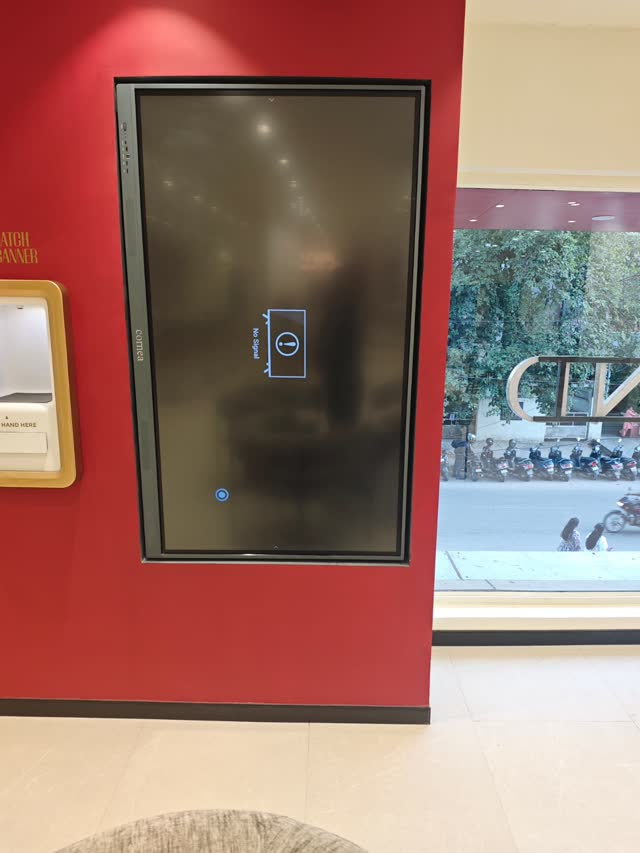
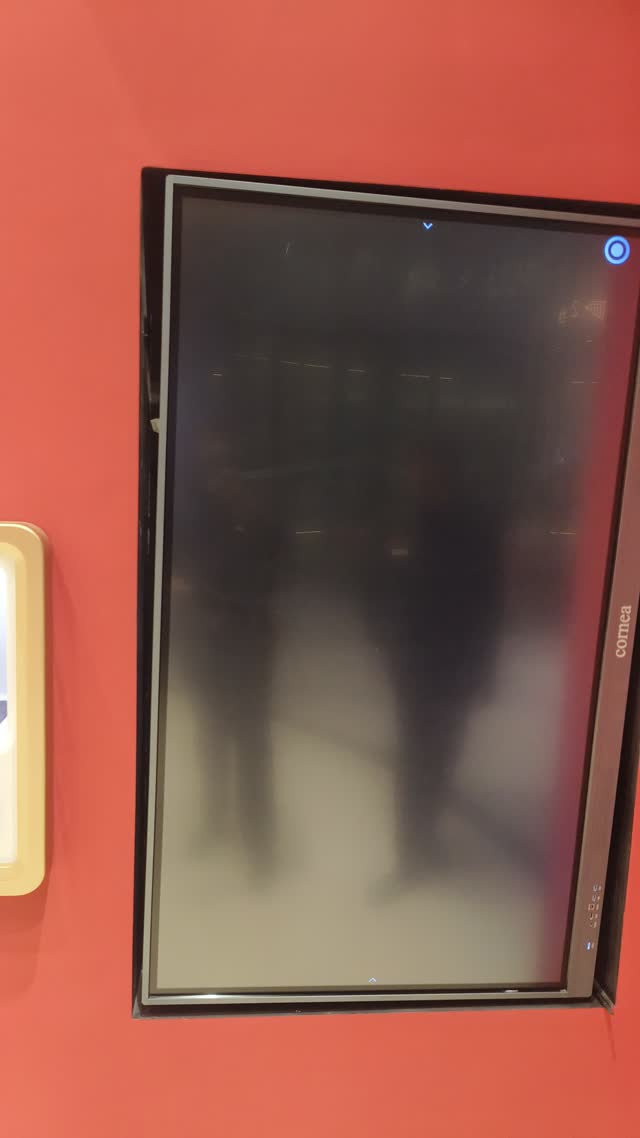
"No Signal" or black screen
The computer is off or asleep.
- Go to the computer.The Lenovo box under the hand scanner.
- Press its power button ONE time.
- Look at the Right / Scanner screen. You should see the Lenovo logo.That means the computer is starting.
- Wait 3 minutes. Do not press the button again.A second press puts it back to sleep or turns it off.
- The kiosk page comes back.
No Lenovo logo, or still "No Signal" after 3 minutes? Check the screen is on HDMI.
Blue screen, Google page or apps
The screen is showing its own Android system. Switch it back to HDMI.
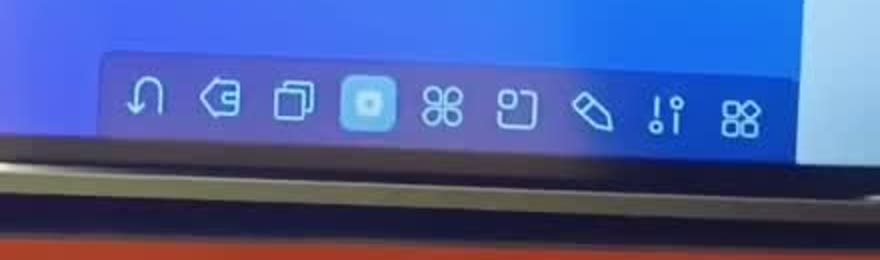
- Tap the small arrow at the bottom middle of the screen.It looks like ^. A bar of icons opens.
- Tap the "two upside-down lollipops" icon.Marked in red below.
- Tap HDMI.
- The kiosk page appears.Still "No Signal"? Turn on the computer.
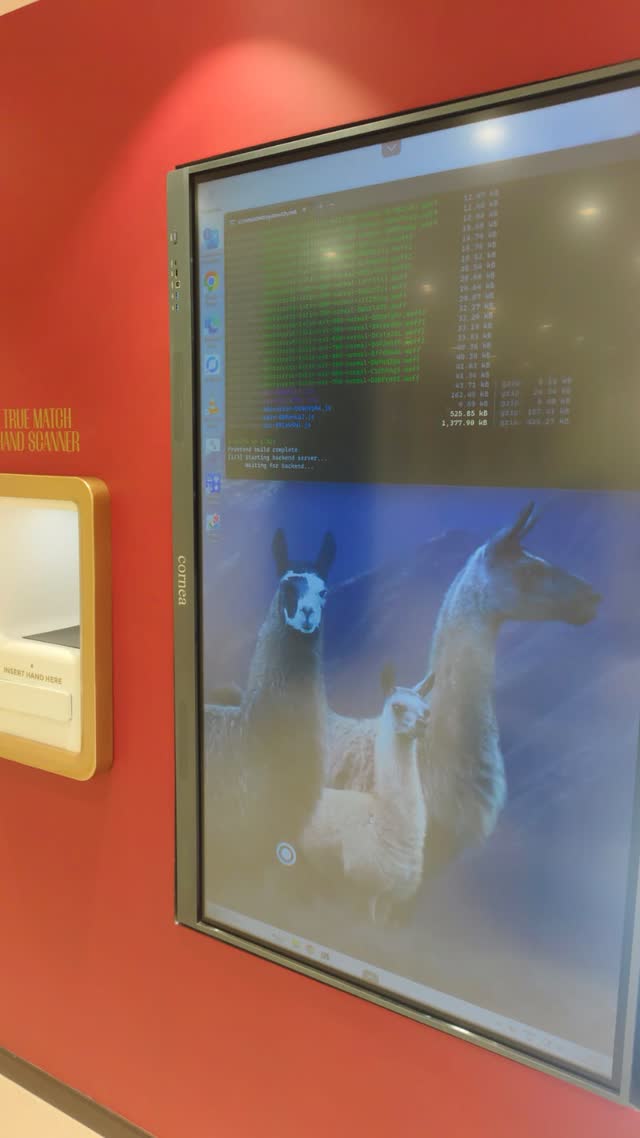
Black window with text, stuck
The kiosk got stuck while starting. It is stuck if the window is still there after 5 minutes.
- Look at the bar at the bottom of the screen.Find the black window icon.
- Press and hold that icon for 2 seconds.Holding your finger is the same as a right-click.
- Tap "Close window".If it says "Close all windows", tap that.
- Repeat for every black window.
Computer desktop with icons
The computer is on, but the kiosk page is closed.
- Restart the computer.The kiosk page opens by itself after the restart.
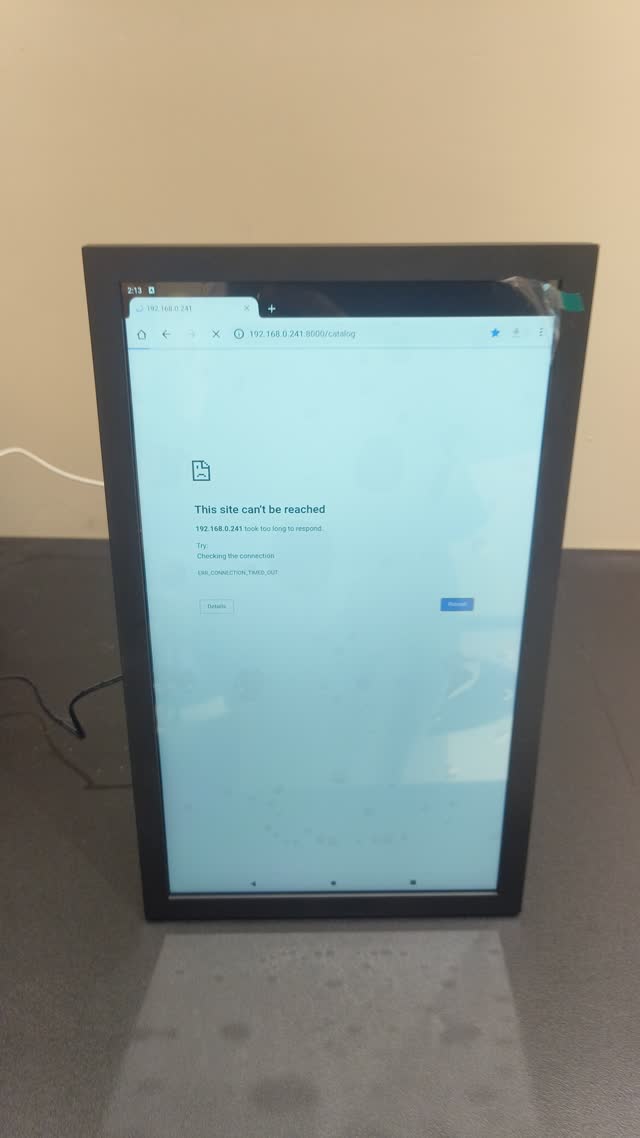
"This site can't be reached"
The music screen gets its page from the computer. The computer is off.
- Look at the Right / Scanner screen.Is the kiosk page showing? If not, fix that first: turn on the computer.
- Go back to the music screen.
- Tap the blue Reload button.Or tap the Home icon ⌂ at the top-left.
Pages overlap or look messy
The screen is using the old link. The old link starts with 192.168. Change it to the new link.
- Tap the address bar at the top of Chrome.
- Does the link start with 192.168?Then it is the old link.
- Type the new link and open it.
https://true-diamond-demo.pages.dev/education - Set it as the homepage too.How to set the homepage
Page is sideways
The page is turned the wrong way for how the screen is mounted.
- Press and hold the bottom-right corner for 1 second."hold to re-pick" appears while you hold.
- A page opens: "Pick screen orientation".
- Tap Rotate Left, No Rotation, or Rotate Right.Pick the one that makes the page upright.
- Still wrong? Hold the corner again and pick another.
Set the link and homepage
Do this once on each screen. Then Chrome opens the right page every time.
https://true-diamond-demo.pages.dev/educationhttp://192.168.1.241:8000/catalogThe music link is different in each store. Ask the Hand Scanner tech team for your store's numbers.
- On the screen, open Chrome.
- Tap the 3 dots ⋮ at the top-right.
- Tap Settings.
- Tap Homepage. Turn it On.
- Tap "Enter custom web address".
- Type the link for this screen.Exactly as shown above.
- Go back. Tap the Home icon ⌂.The page opens. Check it looks right.
Camera picture upside down
The live camera picture on the music screen shows the wrong way.
- Press and hold the camera picture for 1 second.Keep your finger still. A "Camera" panel opens.
- Tap "Turn 90°".Tap again until the picture is the right way up.
- Tap Done.
Secret menu
Closes the kiosk page so you can reach the computer or Chrome.
top-left corner
- Press and hold the top-left corner for 2 seconds.Same corner on every screen. "keep holding" appears while you hold.
- Type the PIN.
- Tap "Exit Kiosk".
Right / Scanner screen: the kiosk page closes and you see the computer. Music and education: the page leaves full screen. To bring the kiosk back, restart the computer.
No sound
The picture works, but there is no sound. The screen needs a factory reset.
First, restart the computer. Still no sound? Do the steps below.
Call the Hand Scanner tech team before you do this. It wipes the screen's own settings. You will need to switch to HDMI again after.
- Tap the small arrow ^ at the bottom middle.A bar of icons opens.
- Tap the four-leaf clover icon.Marked below. A box of apps opens.
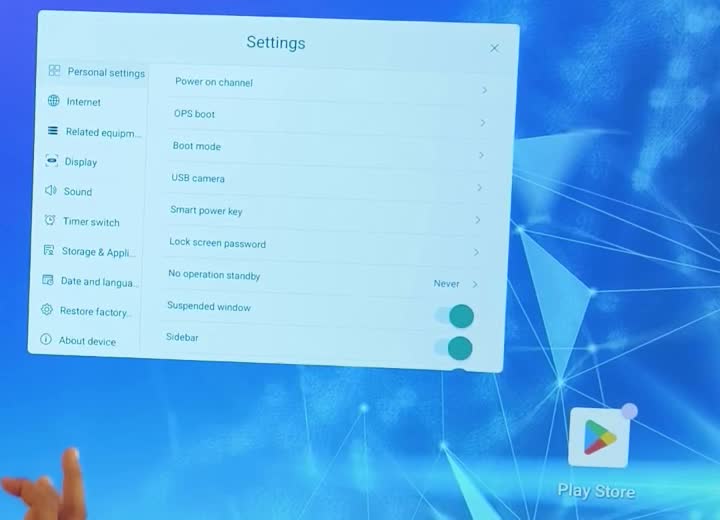
- Tap the big gear icon (Settings).
- Tap "Restore factory" on the left.
- Confirm.Wait. The TV restarts by itself.
- After it restarts, switch to HDMI.
- Check the sound.